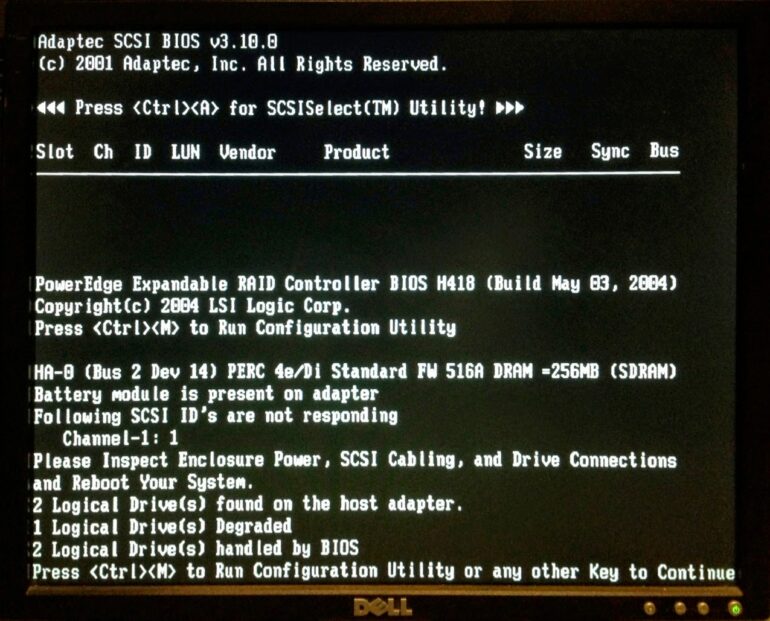
I rebooted our Dell PowerEdge 2800 server the other day and it was taking forever to come back up. Typically I access it from a remote desktop app on my MacBook Pro but it wouldn’t come back up so I went to the server and plugged in a monitor and saw the error pictured above and typed out below:
HA-0 (Bus 2 Dev 14) PERC 4e/Di Standard FW 516A DRAM =256 (SDRAM)
Battery module is present on adapter
2 Logical Drive(s) found on the host adapter.
1 Logical Drive(s) Degraded
2 Logical Drive(s) handled by BIOS
Press <Ctrl><M> to Run Configuration Utility or any other Key to Continue
How to Fix Error: 1 Logical Drive(s) Degraded on Dell PowerEdge 2800 Server
Hardware:
- Dell PowerEdge 2800 Server
- Maxtor ATLAS 15K II, 3.5 Series, 146 GB Ultra320 SCSI HDD SN: 250CT2005, DP/N: 0GD088, F/W: JNZY

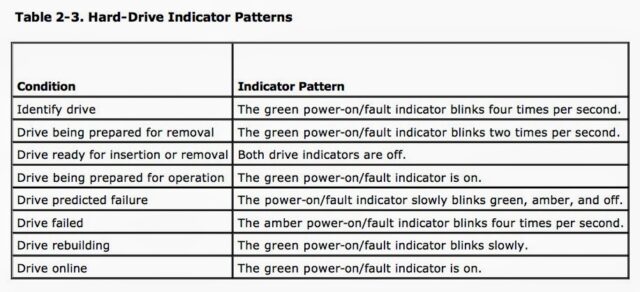
I went ahead the pressed any key after getting the message I copied above and the server booted up fine. The problem in all that Bios lingo is the “1 Logical Drive(s) Degraded.” The LED on drive 1 was also flashing amber as seen below:
If you look up in the Dell PowerEdge 2800 Installation and Troubleshooting Guide found here you will find that a flashing amber LED indicates a bad drive (see page 14 of the pdf):
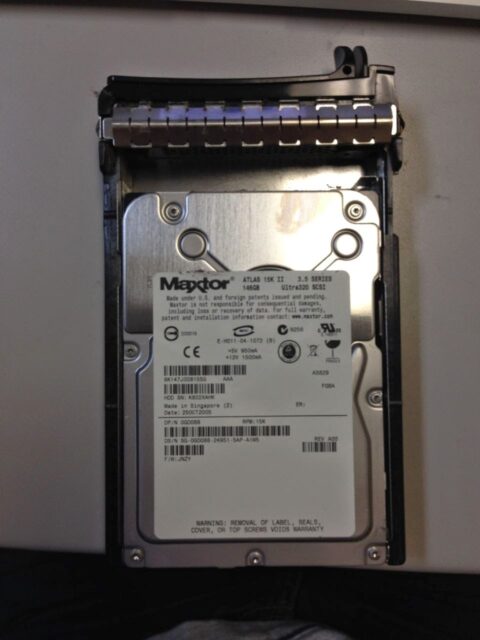
I took out the drive with the server running and it was quite hot to the touch. The type of drive is as follows:
Maxtor ATLAS 15K II
3.5 Series
146 GB Ultra320 SCSI
HDD SN: 250CT2005
DP/N: 0GD088
F/W: JNZY
You can buy this drive amazon.com here
.
 |
| Maxtor ATLAS 15K II 146GB Ultra320 SCSI Drive |
And the 80-pin connector:
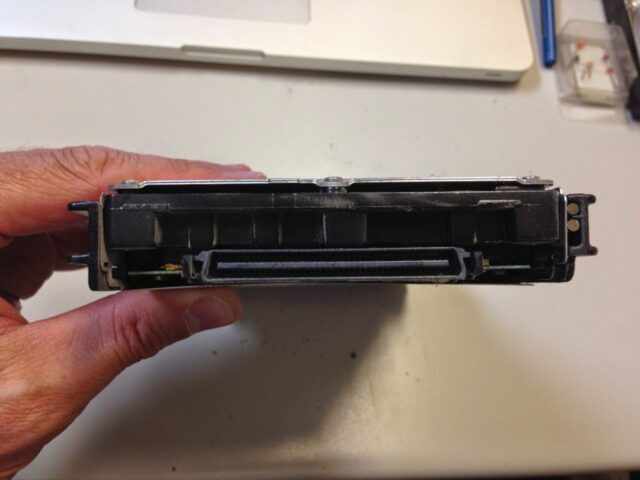 |
| Maxtor ATLAS 15K II 146GB Ultra320 SCSI Drive 80-Pin Connector |
I was able to find new replacement drives for $45 a piece with free shipping on Amazon.com here. I purchased 2 so we have one on hand after I replace this one.
I’m waiting on the drive to come but they are hot-swappable so all you need to do is insert the new drive in the caddy and then insert it into the server. The drives I ordered come mounted on a caddy so I shouldn’t even need to do any re-mounting. The RAID controller will re-populate the drive with a mirror of the other two drives. You gotta love duplicity.
Other Useful Links
- Dell: Manuals & documentation for your PowerEdge 2800
- Buy the replacement drive at amazon.com: Maxtor ATLAS 15K II, 3.5 Series, 146 GB Ultra320 SCSI HDD SN: 250CT2005, DP/N: 0GD088, F/W: JNZY
Amazon Associate Disclosure: As an Amazon Associate I earn from qualifying purchases. This means if you click on an affiliate link and purchase the item, I will receive an affiliate commission. The price of the item is the same whether it is an affiliate link or not. Regardless, I only recommend products or services I believe will add value to Share Your Repair readers. By using the affiliate links, you are helping support Share Your Repair, and I genuinely appreciate your support.